Tuesday, June 12, 2012

Friday, April 13, 2012
Looking for a localhost cacheing nameserver?
Back in the day I would use dnscache and sometimes even bind for local network or localhost cacheing recursive DNS. I was hoping there was a newer, better, faster and easier to setup / maintain solution in 2012....
I found unbound. http://unbound.net/
If you have a server that does tons of DNS lookups (think SIEM), then this is a must.
Debian/Ubuntu:
apt-get install unbound
Redhat/Centos:
yum install unbound
It's secure and listens only on 127.0.0.1 by default. How cool is that?
Lastly don't forget to update resolv.conf...
echo "nameserver 127.0.0.1" > /etc/resolv.conf
I found unbound. http://unbound.net/
If you have a server that does tons of DNS lookups (think SIEM), then this is a must.
Debian/Ubuntu:
apt-get install unbound
Redhat/Centos:
yum install unbound
It's secure and listens only on 127.0.0.1 by default. How cool is that?
Lastly don't forget to update resolv.conf...
echo "nameserver 127.0.0.1" > /etc/resolv.conf
Thursday, April 12, 2012

Tuesday, April 3, 2012
ArcOSI 30 released
Added new sources, some parsing fixes and the feature to specify a custom port via command line. Currently only the python code is release but will compile the windows binary later today.
Download @ code.google.com/p/arcosi
-Greg
Download @ code.google.com/p/arcosi
-Greg
Wednesday, March 28, 2012
A little about MS12-020
Great history on the vulnerability by the original Italian researcher: http://aluigi.org/adv/ms12-020_leak.txt
He sold the bug to ZDI with a DoS POC, they reported to MS and the bug is suspected to have leaked through a MAPP partner to Chinese entity and surfaced as the rdpclient.exe
Small companies: Firewall off all remote access to 3389
Enterprise: Scan and test, deploy signatures, alert SOC and start monitoring campaign during lockdown efforts
Snort signatures (untested):
alert tcp any any -> $HOME_NET 3389 (msg:”Potential MS12-020 RDP DoS attempt – MaximumParatmers”; flow:to_server,established; content:”|03 00|”; depth:2; content:”|7f 65 82 01 94|”; distance:24; within:5; content:”|30 19|”; distance:9; within:2; content:”|30 19|”; distance:25; within:2;content:”|30 1c|”; distance:25; within:2; byte_test:1,=,255,2,relative; reference:cve,2012-0002; classtype:attempted-dos; sid:1000031; rev:1;)
alert tcp any any -> $HOME_NET 3389 (msg:”Potential MS12-020 RDP DoS attempt – MaximumParatmers”; flow:to_server,established; content:”|03 00|”; offset:0; depth:2;content:”|7f 65 82 01 94|”;distance:24;within:5;byte_jump:1,10,relative;byte_jump:1,1,relative;byte_test:1,=,255,4,relative; reference:cve,2012-0002; classtype:attempted-dos; sid:1000026;rev:1;priority:1;)
He sold the bug to ZDI with a DoS POC, they reported to MS and the bug is suspected to have leaked through a MAPP partner to Chinese entity and surfaced as the rdpclient.exe
Small companies: Firewall off all remote access to 3389
Enterprise: Scan and test, deploy signatures, alert SOC and start monitoring campaign during lockdown efforts
Snort signatures (untested):
alert tcp any any -> $HOME_NET 3389 (msg:”Potential MS12-020 RDP DoS attempt – MaximumParatmers”; flow:to_server,established; content:”|03 00|”; depth:2; content:”|7f 65 82 01 94|”; distance:24; within:5; content:”|30 19|”; distance:9; within:2; content:”|30 19|”; distance:25; within:2;content:”|30 1c|”; distance:25; within:2; byte_test:1,=,255,2,relative; reference:cve,2012-0002; classtype:attempted-dos; sid:1000031; rev:1;)
alert tcp any any -> $HOME_NET 3389 (msg:”Potential MS12-020 RDP DoS attempt – MaximumParatmers”; flow:to_server,established; content:”|03 00|”; offset:0; depth:2;content:”|7f 65 82 01 94|”;distance:24;within:5;byte_jump:1,10,relative;byte_jump:1,1,relative;byte_test:1,=,255,4,relative; reference:cve,2012-0002; classtype:attempted-dos; sid:1000026;rev:1;priority:1;)
Tuesday, August 30, 2011
Wireless fun with your Macbook
Since OSX Snow Leopard there is an Airport wireless API that allows some fun tricks but it takes some minor setup to use it properly...
First make sure you can easily run the new Airport API utility:
sudo ln -s /System/Library/PrivateFrameworks/Apple80211.framework/Versions/Current/Resources/airport /usr/sbin/airport
Now you have easy ability to scan and sniff packets:
airport scan

And the sexiest feature is to dump packets in monitor mode:
sudo -s airport sniff 11
Note that you still cannot actively inject and sniff without using a realtek USB wifi card.
To stop the airport utility from sniffing drop it into the background and kill the process ID:
ctrl+z
then
sudo -s killall airport
So what kind of attacks are possible without injection? Well any wireless traffic (non encrypted via WEP/WPA/HTTPS) on the channel your sniffing you can then read with a packet inspection tool like tcpdump which comes by default on your Mac. A pcap will be saved in the /tmp directory, simply read it in with tcpdump to see what fun you captured!
Gregs-MacBook-Air:tmp gregmartin$ ls /tmp |grep air
airportSniffmcg8L2.cap
To print the ASCII content of all HTTP traffic:
tcpdump -s0 -Anr /tmp/airportSniffmcg8L2.cap port 80
or
tcpdump -s0 -Anr /tmp/airportSniffmcg8L2.cap port 80 |grep -i pass

Here we see an Android phone at the Boingo wireless captive portal ready to log in!
Of course you can use any libpcap tool such as Wireshark to analyze the resulting file.
First make sure you can easily run the new Airport API utility:
sudo ln -s /System/Library/PrivateFrameworks/Apple80211.framework/Versions/Current/Resources/airport /usr/sbin/airport
Now you have easy ability to scan and sniff packets:
airport scan
And the sexiest feature is to dump packets in monitor mode:
sudo -s airport sniff 11
Note that you still cannot actively inject and sniff without using a realtek USB wifi card.
To stop the airport utility from sniffing drop it into the background and kill the process ID:
ctrl+z
then
sudo -s killall airport
So what kind of attacks are possible without injection? Well any wireless traffic (non encrypted via WEP/WPA/HTTPS) on the channel your sniffing you can then read with a packet inspection tool like tcpdump which comes by default on your Mac. A pcap will be saved in the /tmp directory, simply read it in with tcpdump to see what fun you captured!
Gregs-MacBook-Air:tmp gregmartin$ ls /tmp |grep air
airportSniffmcg8L2.cap
To print the ASCII content of all HTTP traffic:
tcpdump -s0 -Anr /tmp/airportSniffmcg8L2.cap port 80
or
tcpdump -s0 -Anr /tmp/airportSniffmcg8L2.cap port 80 |grep -i pass
Here we see an Android phone at the Boingo wireless captive portal ready to log in!
Of course you can use any libpcap tool such as Wireshark to analyze the resulting file.
Friday, August 12, 2011
Why you don't steal from a hacker
 |
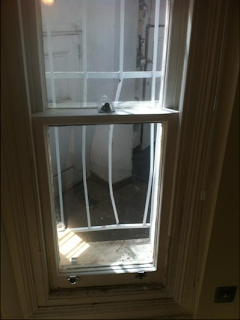 |
So during the London riots I return home the next morning to find my flat ransacked and my Macbook Pro laptop stolen!
Police showed up, took a report and dusted for prints, performed typical forensics... One thing they did not expect was that I had installed the amazing open source tracking software from http://preyproject.com
Once I flagged my laptop as missing within Prey, I waited eagerly for the first report to come in. I was concerned he wouldn't be able to get past the login password but he was clever enough to add a new account: Here is how to create a new admin account on a Mac
Almost two weary days had gone by and I'm at dinner on a business trip in Luxembourg and I received an email which nearly knocked me out of my chair with excitement.

Next thing I did was buy a pack of smokes and run back to my hotel room so the games could begin... I cranked up the frequency of reports to one in every five minutes to try to get a screen capture of him using gmail or facebook so I could snag a name or login credentials.
After two hours hours of watching him surf religious revelation videos, shopping for Mercedes A class on autotrader he finally popped onto facebook! This was the treasure trove of information, at this point I had the following:
His Name: Sxxxxx Kxxxx
His School: xxxx School Class of 2009
His address: xxx N End Rd London W14
His IP Address: 90.201.72.xx
His ISP: BSKYB
His wireless AP: SKY378xx
His Facebook Page: https://www.facebook.com/profile.php?id=101952xxx
Of course I had pictures of him from the webcam on my Macbook as well as his Facebook page, now I just had to pass the info on to London Metro police and get to bed at a decent hour as I had to run an all-day meeting the following morning!


The tip of the iceberg, now that all the details were collected, London Metro police could make their move!

And the icing on the cake... justice served. Add me on twitter @gregcmartin lets laugh together!

Subscribe to:
Posts (Atom)